
What sets us apart
Live sim connection
SimCharts connects directly to your simulator. Your aircraft position, altitude, and heading update on the map in real time.
Your Sim. Your Charts. Connected.
SimCharts connects to your simulator and keeps charts, procedures, and your aircraft position in sync — so you brief and fly from one place.
Free — no subscription, no credit card.


Procedure Flow
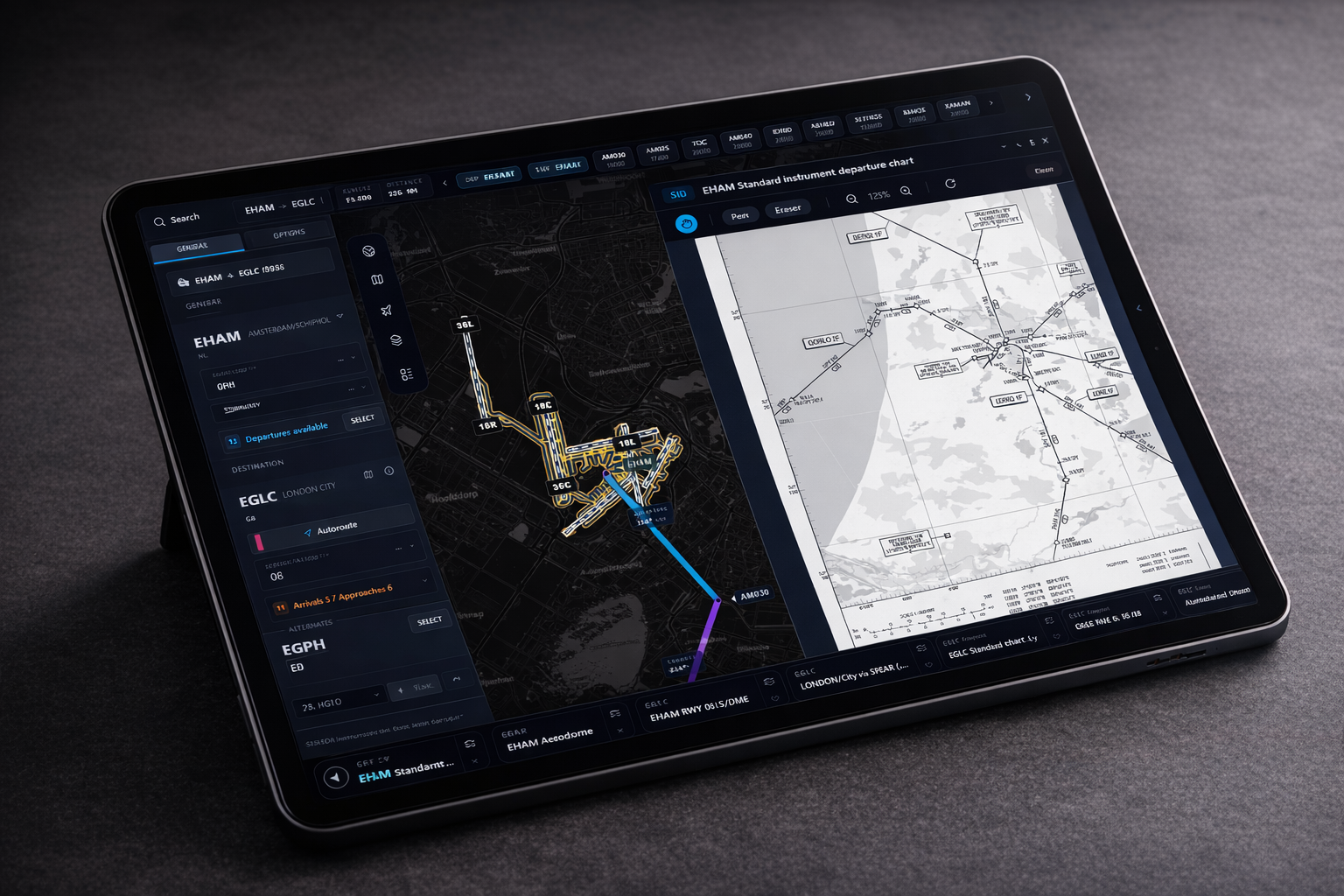
SimCharts keeps route flow, aircraft position, and plate context in one motion-rich view that still reads cleanly on tablet and desktop.

OCK1H via LOGAN
Overlay, legs and runway context stay aligned.
Wind
240/18
Ceiling
2200 ft
Traffic
Dense
What sets us apart
SimCharts connects directly to your simulator. Your aircraft position, altitude, and heading update on the map in real time.
What sets us apart
SIDs, STARs, and approaches are matched to your flight plan automatically. Select a runway and the right charts appear — with transitions.
What sets us apart
Real navdata powers every procedure. Chart viewers show you PDFs — SimCharts understands the route you're actually flying.
How it works
Step 01
Launch the SimCharts bridge. It detects your simulator automatically and starts streaming aircraft data.
Step 02
Your flight plan is read from the sim. SIDs, STARs, and approaches are matched and ready — including transitions.
Step 03
Your aircraft moves on the map in real time. Charts, procedures, and route context stay in sync as you fly.
Not just a chart viewer
Static chart tools make you search, scroll, and cross-reference manually. SimCharts reads your sim state, resolves procedures from real navdata, and keeps everything aligned to your flight — automatically.
Beta Testers
A special thank you to our beta testers for the reports, ideas, and late-night testing sessions that keep making SimCharts better. Huge thanks to SpedKillaTheThird, GoofeyFoot, and Allan McGregor Enthusiast for helping us tune the experience before each wider release.
Why pilots use it
No more alt-tabbing between a chart viewer, a map, and your sim. SimCharts reads your flight plan, matches the right procedures, and tracks your aircraft — all in one window.
Community
Need help, want to share routes, or give product feedback? Join the SimCharts Discord.